VST / AU
MAX4LIVE
RASPBERRY PI
DSP PLUGINS

Fast, musical tone shaping with analog character.
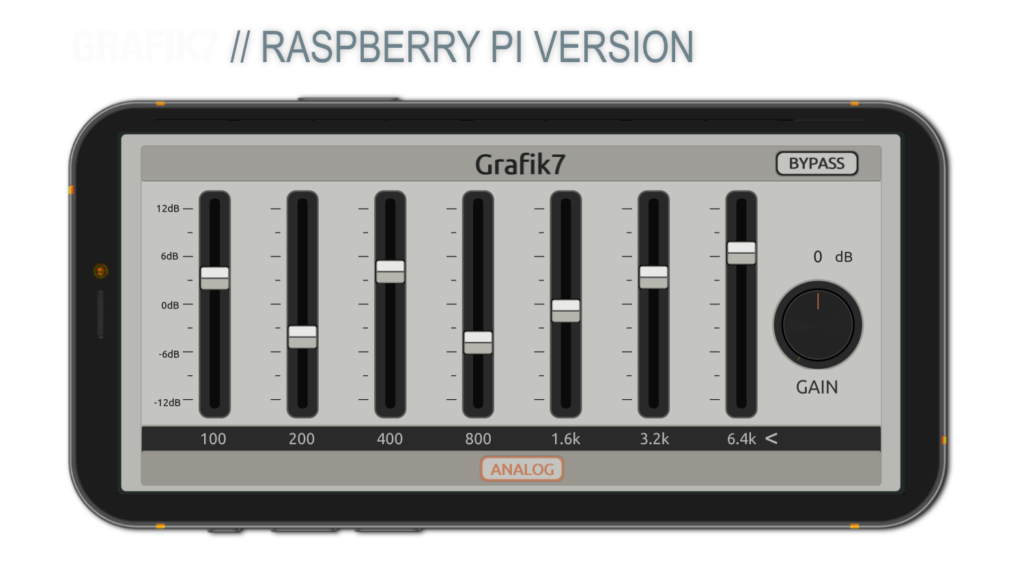
Run this RNBO DSP directly on your Raspberry Pi or Ableton Move (Move support is experimental/untested).
Wireless Freedom: Controlled wirelessly via your phone or tablet using TouchOSC.
Optimized DSP: Includes the Pedalboard version (tuned for Amp FX Loops) and the Studio Serial version (identical to the VST/AU plugin).
Hybrid Core: Features asymmetric Q-factors and JOS Cubic Tube saturation for professional „Pro Amp Tone“.
To run Grafik7 in your hardware setup, you need the following:
1. HARDWARE
- Raspberry Pi: Optimized for Raspberry Pi 4 or 5 (Pi 5 recommended for best performance).
- Audio Interface: Blokas Pisound is recommended for low latency and high-quality I/O.
- Controller: A Smartphone or Tablet (iOS/Android) to run the TouchOSC app.
2. SOFTWARE & EXPORT
- Max 9: Required to open the source patches.
- RNBO Extension: Required to export the DSP code to your Raspberry Pi or Ableton Move.
- TouchOSC: To load the included
.toscfile for wireless control.
3. ABLETON MOVE (Experimental)
- Grafik7 is built on RNBO architecture. It should run on Ableton Move, but please note that this is untested and experimental. Use it at your own risk

Effortless mixing with analog soul.
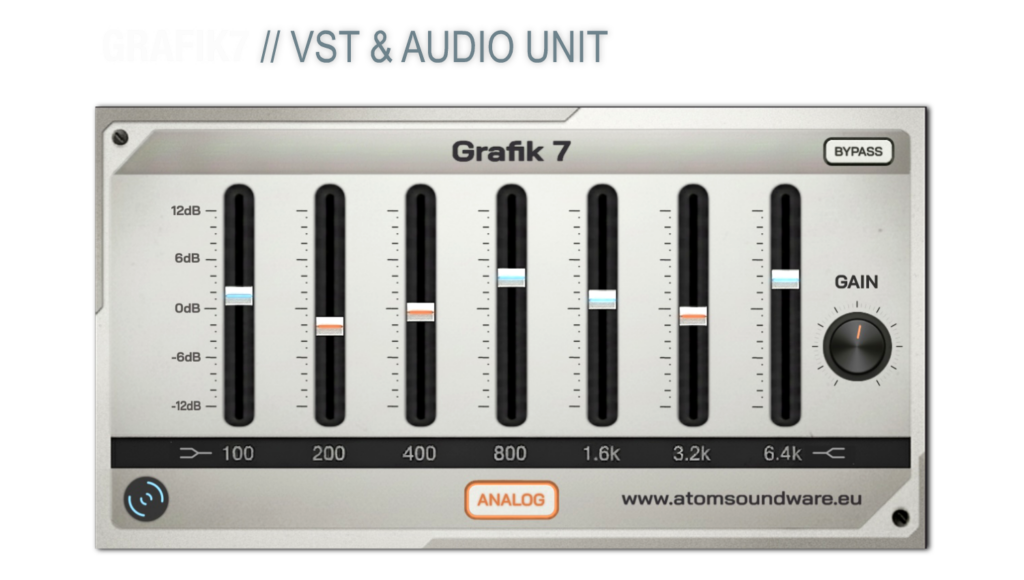
Add the character of a discrete console strip to your DAW. This 7-band EQ combines intuitive tone shaping with frequency-dependent saturation for a fast, creative workflow.
Grafik7 is a free 7-band saturation EQ / tone-shaping plugin built for fast, musical sound shaping during production.
Instead of getting lost in the complexity of a fully parametric EQ, Grafik7 helps you shape sounds quickly, add character, and stay focused on the music.
What makes Grafik7 special:
- 7 musically tuned bands for fast tone shaping
- Per-band JOS Cubic Tube saturation
- Boosting adds harmonic drive, density, and presence
- Cutting introduces subtle smoothing for a more musical result
- Designed for quick workflow and intuitive decisions
- Great for production, sound design, guitars, drums, and creative mix shaping
Core idea:
Stay in the music — not in the EQ.
- Formats: VST3, Audio Unit (64-bit)
- macOS: 10.13 (High Sierra) or newer
- Windows: Windows 10 / 11 (64-bit)
- Processor: Intel or Apple Silicon (M1 / M2 / M3 / M4)
- RAM: 4 GB minimum (8 GB recommended)
- DAW: Any host supporting VST3 or AU

versatile flanger effect – for studio and stage
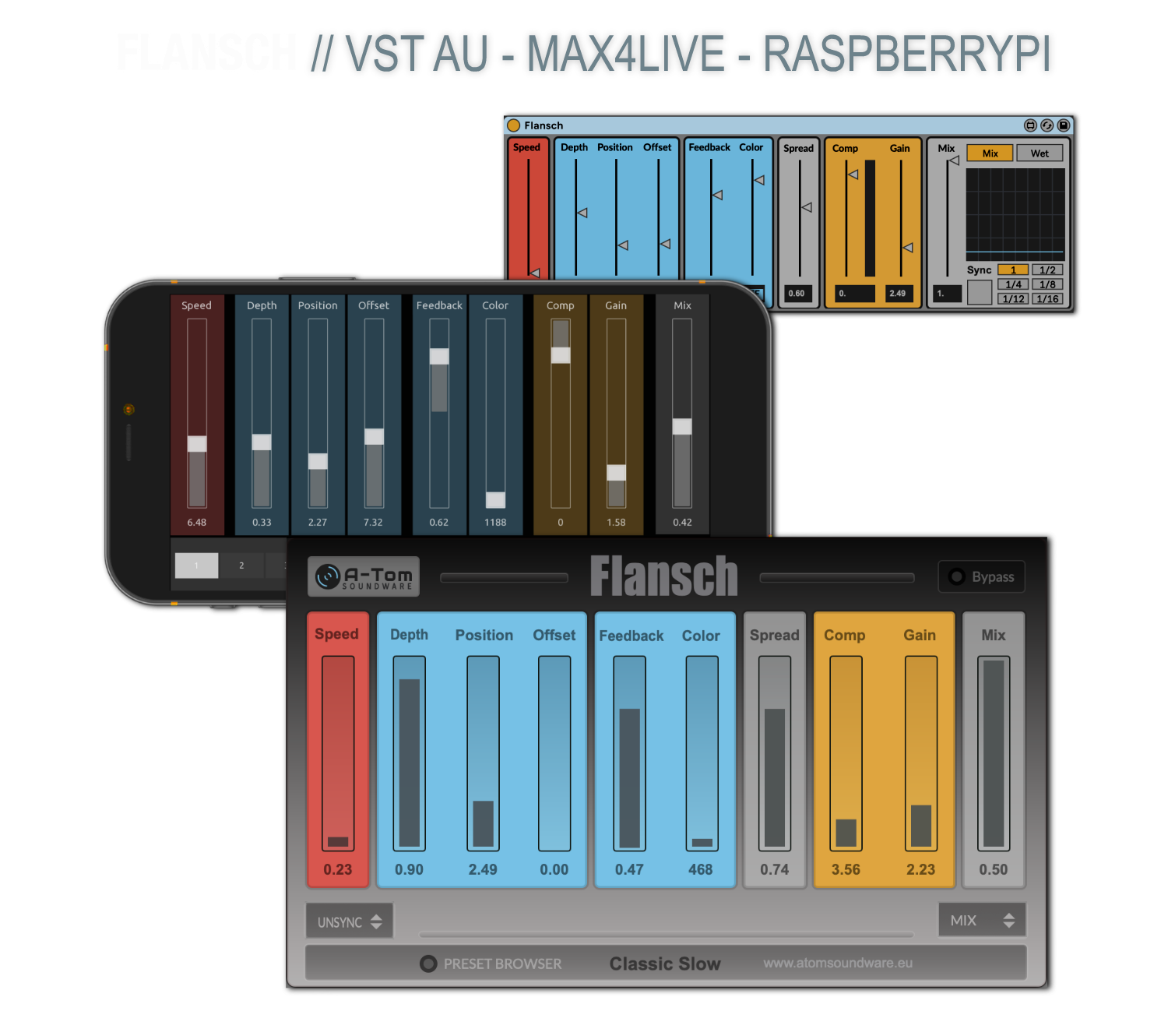
Run this flexible modulation DSP as a classic VST plugin, a Max for Live device, or directly on your Raspberry Pi hardware. From liquid tape-style modulation to intense jet-plane sweeps, Flansch delivers organic movement with modern wireless control via TouchOSC.
Pay what you want: (minimum 7,00 €)
One price. All platforms. Endless creativity.
interact closely:
Depth determines the intensity of the modulation.
Position sets where in the modulation cycle the phase shift occurs.
Together, they shape the character and movement of the flanging effect.
to the modulated signal relative to the dry signal, similar to a pre-delay
Useful for rhythmic alignment and creating a sense of spatial depth.
positive or negative
values:
Positive feedback produces classic, resonant flanging with a metallic tone.
Negative feedback causes phase-inverted regeneration, leading to a darker, more hollow sound.
The feedback polarity creates a fundamentally different character.
Higher values intensify the effect and can lead to self-oscillation.
To ensure the best experience with Flansch, please review the system requirements for your chosen platform below.
💻 For Desktop / DAW Use (VST3, Audio Unit, Max for Live)
Operating System:
macOS: 10.13 (High Sierra) or newer (64-bit required)
Windows: Windows 10 or newer (64-bit required)
Processor (CPU):
Minimum: Intel Core i3 (or AMD equivalent), 4th Generation or newer.
Note: SSE3 support is generally required by modern DAWs and plugins.
RAM:
Minimum: 4 GB
Recommended: 8 GB or more for optimal performance in larger projects.
Disk Space:
Approximately 100–200 MB for plugin installation.
Host Software:
DAW (macOS): Any 64-bit Digital Audio Workstation supporting VST3 or Audio Unit (AU) plugins.
DAW (Windows): Any 64-bit Digital Audio Workstation supporting VST3 plugins.
Max for Live: Ableton Live 10 or newer (with Max for Live installed).
🍓 For Raspberry Pi Use (Standalone Max/RNBO Patch)
What You’ll Need (Hardware):
Raspberry Pi Model:
Minimum: Raspberry Pi 3 Model B+
Recommended: Raspberry Pi 4 Model B (2 GB RAM or more) for best performance.
Audio Interface: A compatible audio interface (e.g., Pisound by Blokas, or similar).
Power Supply: A reliable power supply for both the Pi and your audio interface.
MicroSD Card: Class 10 or faster, 16 GB or larger recommended.
What You’ll Need (Software):
Operating System: The latest stable version of Raspberry Pi OS.
Cycling ’74 Software: To run the Flansch patch (.maxpat), you will need one of the following from Cycling ’74:
The RNBO Runner application.
Or a full version of Max/MSP with the RNBO package.
Remote Control (Optional): The TouchOSC application (from hexler.net) installed on a smartphone or tablet.
❗️ IMPORTANT NOTE ON LICENSING:
The necessary Cycling ’74 software (Max/MSP or the RNBO Runner) is not included with your Flansch purchase. It must be obtained separately from the official Cycling ’74 website: https://cycling74.com/
For Developers & Advanced Users (Unsupported Method)
For users with strong C++ and Linux development experience, Flansch can be compiled and run directly on the Raspberry Pi without needing Max or the RNBO Runner. This method offers maximum flexibility by allowing you to integrate the raw C++ source code into a custom application.
Your purchase includes the complete, self-contained RNBO C++ export folder, containing:
The core RNBO C++ library (RNBO.cpp, RNBO.h) and your patch’s specific logic.
A description.json file detailing all parameters, inputs, and outputs.
A pre-configured CMake build system to simplify compilation on your target platform.
This allows you to build the Flansch engine directly into your own audio application, headless setup, or creative coding project using standard open-source tools like g++ or clang++.
❗️ DISCLAIMER: PLEASE READ CAREFULLY
This is an advanced, unsupported method intended for experienced developers only.
We cannot provide technical support for compiling the source code, configuring your build environment, or troubleshooting issues related to this process.
Success is not guaranteed and depends entirely on your technical expertise and development environment.
You attempt this method at your own risk. We are not responsible for any issues that may arise from modifying or compiling the source code.